
Inquisitor
BIG ENGINES: Silos today... Barn Door tomorrow!
- Joined
- Nov 1, 2005
- Posts
- 276
- Reaction score
- 11
- Location
- North Carolina Mountains
Software
I thought I’d give a list of software I’ve used so far in my development for the other budding marine architect wannabes.
Microsoft Excel – is the only one I had to pay for so far. However, for doing trade studies and analysis I find it’s hard to beat. There are products out there… some of which I have used and like. MathCad being one of note. But Excel came with one of my computers, and I use it quite often on any number of other things.
FreeShip / DelftShip Free
DelftShip Free LINK
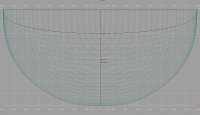
I got quite proficient with this piece of software. For designing the actual hull shape I found it extremely easy to use. It has the ability to analyze for hydrostatics and resistance. Most of the resistance analysis is based on theory for canoes, but hey… a catamaran hull looks oddly like a canoe. There will be a little interference drag since there are two of them, and the analysis is only really accurate up to the hull speed of the boat. After that, I have not really found anything that even claims to be able to analyze a light weight catamaran above hull speed, yet we know many production and racing catamarans far exceed their hull speed.
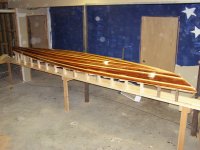
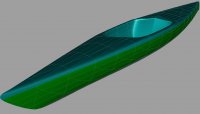
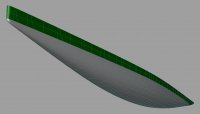
Also, the software will print or plot your stations for creating your hull molds. I’ve included a kayak that I designed and am currently building for the Admiral. She’s only 90 lbs dripping wet, so I custom designed it for her body weight so it would be more efficient and lighter for her to paddle…
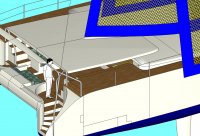
In my early attempts, I tried to build and design the entire catamaran using this software. However, after the specialized features of the software to build nice hull forms, I found it to be extremely tedious to build even simple bulkheads, much less topsides and structure. At one time I even built the spiral staircases at the rear of the catamaran hulls. It took me close to twenty hours just for the stairs. So, now days, I just export the DXF 3D Mesh of the hull bottom ONLY to the next program.
Google SketchUp
Google SketchUp LINK
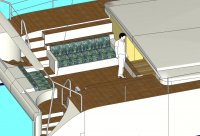
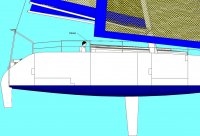
Damn! What a program! In my field, I cut my teeth on the likes of Unigraphics, Patran and Catia on high powered (for their day) workstations by Sun and Silicon Graphics. I even tried using AutoCAD in several of its versions for goofing off at home. And none of them can hold a candle to the shear ease of use and speed of SketchUp on a decently modern PC. Back in the 80’s and 90’s we never allowed ourselves to even dream about rotating a shaded, translucent, shadowed, perspectived 3D model by simply dragging a mouse. We typed in the three rotation angles and waited nearly a minute for a simple panel filled image. Cussed a little bit and then entered three more angles. On SketchUp creating geometry is simple and intuitive. I can put the program down and return to it months later and pick it up immediately. Any other product, I end up having a re-learning curve. Building models is a joy. The renderings are a little simplistic… hey, but you can turn them immediately. Getting data and sizes is a snap for the spread sheets. For the graphic artists out there, there are huge libraries of free objects that can be incorporated into your models Google SketchUp Warehouse LINK. Hey, I’ve got Lara Croft modeling on my boat! Basically, I can’t say enough about this program.
FEA
For detailed structural analysis, there is a numerical analysis method called FEA (Finite Element Analysis) or FEM (Finite Element Method). For a very simplistic description of FEA, it is a method of dividing up a model of your boat (in our case) into thousands or even millions of little squares and blocks. You tell the software where to apply forces to the model and then you let the program churn all this input data and it spits out deflections and stresses of the model. In our professions, whole PhD’s are about one tiny aspect of enhancement to one little element. It is an extremely deep subject. The simple act of changing the models “material” characteristics from what is called an isotropic material (aluminum, stainless steel are examples) to an orthotropic material (fiberglass or carbon epoxy) adds another order of complexity and pitfalls.
Knowing, that I would not want to be responsible for “trying” to create a “cook book” to allow even an engineer with a BS degree to create a VALID model, gives me a good understanding of why Marine Architects are leery about giving me a “cook book” on boat design.
POV-Ray Photorealistic Rendering
POV-Ray LINK
The rest of this is solely about how to get the photorealistic images and videos I’ve included so far. It’s not really beneficial to the design… except in wetting the appetite.
To create a world for your boat and to get the really good photorealistic images you need POV-Ray. POV-Ray is a program/scripting language for generating the images. The images can also be created based on changing time and thus eventually converted to a video. POV-Ray has an extremely steep learning curve and even though I’ve used it for at least five years, I’m not sure; I’d call myself even proficient at it. Fortunately it has lots of examples and you can get the rudiments fairly quickly. Polishing the image with all the effects can be a career in itself. Also, there is a large forum that has been helpful to me in the past.
But first you need to get your model converted from SketchUp to POV-Ray. You’ll need to learn about Plug-Ins for SketchUp. You can download the translator plug-in between these two programs here…
SU2POV3 Translator LINK
Scroll down and look for the program su2pov3.zip. You can download it, unzip and follow the directions to install it into SketchUp. Once done, you’ll be able to export your model. It creates an input file for POV-Ray in basically the same orientation as when you pressed the option in SketchUp. This will save you a lot of time just getting POV-Ray to show it.
Where Google SketchUp can create several images of your model per second as you rotate it with the mouse, POV-Ray image generation is extremely time consuming. Some of the images I’ve included here took nearly 4 hours to generate. The 720P video I have generating will take over a month running non-stop on four different CPUs. You’ve got to want it real bad to go through the headaches.
POV-Ray ONLY creates the images for a video… it just creates a bunch of bitmaps. You then have to combine them to create the video. I have found one way, but I’m not real happy with it. If anyone happens to know a better way, please let me know.
Creating the AVI Video
Bitmaps to AVI Translator LINK
This program allows you to gather the bitmaps into a Windows AVI file. It works, but has a couple of bugs, but it’s very nice of the developer to let us have it for free… besides the bugs can be circumvented to create your AVI video.
Creating the mp4 Video.
AVI to MP4 Translator LINK
There are many programs that can transcode one video format to another. Most seem to have fees and have rather complex settings that I’ve not spent the time to understand. However, I have found one that has no settings and does a pretty good job. Basically this compresses the avi file down to one that is small enough for YouTube or can also be burned to a DVD to be played in a standard DVD player. At some point, I’ll need to go through that learning curve. I’m not real happy with the quality. Apparently, in some of these transcoders you can modify the settings to improve quality at the expense of size. That would be beneficial for the DVD version. You’ve got plenty of room on those for your little demo.
For instance the AVI file for the low-resolution video came out to be 1.5Gig and after translation it was 46 Meg. The 720p video will be 10.4Gig and over 330 Meg when it’s finished.
That’s about it for tools… so far... Good Luck
I thought I’d give a list of software I’ve used so far in my development for the other budding marine architect wannabes.
Microsoft Excel – is the only one I had to pay for so far. However, for doing trade studies and analysis I find it’s hard to beat. There are products out there… some of which I have used and like. MathCad being one of note. But Excel came with one of my computers, and I use it quite often on any number of other things.
FreeShip / DelftShip Free
DelftShip Free LINK
I got quite proficient with this piece of software. For designing the actual hull shape I found it extremely easy to use. It has the ability to analyze for hydrostatics and resistance. Most of the resistance analysis is based on theory for canoes, but hey… a catamaran hull looks oddly like a canoe. There will be a little interference drag since there are two of them, and the analysis is only really accurate up to the hull speed of the boat. After that, I have not really found anything that even claims to be able to analyze a light weight catamaran above hull speed, yet we know many production and racing catamarans far exceed their hull speed.
Also, the software will print or plot your stations for creating your hull molds. I’ve included a kayak that I designed and am currently building for the Admiral. She’s only 90 lbs dripping wet, so I custom designed it for her body weight so it would be more efficient and lighter for her to paddle…
In my early attempts, I tried to build and design the entire catamaran using this software. However, after the specialized features of the software to build nice hull forms, I found it to be extremely tedious to build even simple bulkheads, much less topsides and structure. At one time I even built the spiral staircases at the rear of the catamaran hulls. It took me close to twenty hours just for the stairs. So, now days, I just export the DXF 3D Mesh of the hull bottom ONLY to the next program.
Google SketchUp
Google SketchUp LINK
Damn! What a program! In my field, I cut my teeth on the likes of Unigraphics, Patran and Catia on high powered (for their day) workstations by Sun and Silicon Graphics. I even tried using AutoCAD in several of its versions for goofing off at home. And none of them can hold a candle to the shear ease of use and speed of SketchUp on a decently modern PC. Back in the 80’s and 90’s we never allowed ourselves to even dream about rotating a shaded, translucent, shadowed, perspectived 3D model by simply dragging a mouse. We typed in the three rotation angles and waited nearly a minute for a simple panel filled image. Cussed a little bit and then entered three more angles. On SketchUp creating geometry is simple and intuitive. I can put the program down and return to it months later and pick it up immediately. Any other product, I end up having a re-learning curve. Building models is a joy. The renderings are a little simplistic… hey, but you can turn them immediately. Getting data and sizes is a snap for the spread sheets. For the graphic artists out there, there are huge libraries of free objects that can be incorporated into your models Google SketchUp Warehouse LINK. Hey, I’ve got Lara Croft modeling on my boat! Basically, I can’t say enough about this program.
FEA
For detailed structural analysis, there is a numerical analysis method called FEA (Finite Element Analysis) or FEM (Finite Element Method). For a very simplistic description of FEA, it is a method of dividing up a model of your boat (in our case) into thousands or even millions of little squares and blocks. You tell the software where to apply forces to the model and then you let the program churn all this input data and it spits out deflections and stresses of the model. In our professions, whole PhD’s are about one tiny aspect of enhancement to one little element. It is an extremely deep subject. The simple act of changing the models “material” characteristics from what is called an isotropic material (aluminum, stainless steel are examples) to an orthotropic material (fiberglass or carbon epoxy) adds another order of complexity and pitfalls.
Knowing, that I would not want to be responsible for “trying” to create a “cook book” to allow even an engineer with a BS degree to create a VALID model, gives me a good understanding of why Marine Architects are leery about giving me a “cook book” on boat design.
POV-Ray Photorealistic Rendering
POV-Ray LINK
The rest of this is solely about how to get the photorealistic images and videos I’ve included so far. It’s not really beneficial to the design… except in wetting the appetite.
To create a world for your boat and to get the really good photorealistic images you need POV-Ray. POV-Ray is a program/scripting language for generating the images. The images can also be created based on changing time and thus eventually converted to a video. POV-Ray has an extremely steep learning curve and even though I’ve used it for at least five years, I’m not sure; I’d call myself even proficient at it. Fortunately it has lots of examples and you can get the rudiments fairly quickly. Polishing the image with all the effects can be a career in itself. Also, there is a large forum that has been helpful to me in the past.
But first you need to get your model converted from SketchUp to POV-Ray. You’ll need to learn about Plug-Ins for SketchUp. You can download the translator plug-in between these two programs here…
SU2POV3 Translator LINK
Scroll down and look for the program su2pov3.zip. You can download it, unzip and follow the directions to install it into SketchUp. Once done, you’ll be able to export your model. It creates an input file for POV-Ray in basically the same orientation as when you pressed the option in SketchUp. This will save you a lot of time just getting POV-Ray to show it.
Where Google SketchUp can create several images of your model per second as you rotate it with the mouse, POV-Ray image generation is extremely time consuming. Some of the images I’ve included here took nearly 4 hours to generate. The 720P video I have generating will take over a month running non-stop on four different CPUs. You’ve got to want it real bad to go through the headaches.
POV-Ray ONLY creates the images for a video… it just creates a bunch of bitmaps. You then have to combine them to create the video. I have found one way, but I’m not real happy with it. If anyone happens to know a better way, please let me know.
Creating the AVI Video
Bitmaps to AVI Translator LINK
This program allows you to gather the bitmaps into a Windows AVI file. It works, but has a couple of bugs, but it’s very nice of the developer to let us have it for free… besides the bugs can be circumvented to create your AVI video.
Creating the mp4 Video.
AVI to MP4 Translator LINK
There are many programs that can transcode one video format to another. Most seem to have fees and have rather complex settings that I’ve not spent the time to understand. However, I have found one that has no settings and does a pretty good job. Basically this compresses the avi file down to one that is small enough for YouTube or can also be burned to a DVD to be played in a standard DVD player. At some point, I’ll need to go through that learning curve. I’m not real happy with the quality. Apparently, in some of these transcoders you can modify the settings to improve quality at the expense of size. That would be beneficial for the DVD version. You’ve got plenty of room on those for your little demo.
For instance the AVI file for the low-resolution video came out to be 1.5Gig and after translation it was 46 Meg. The 720p video will be 10.4Gig and over 330 Meg when it’s finished.
That’s about it for tools… so far... Good Luck