Correction to Rhino method for Balance Calculation in #85
After the 17th iteration trying to get my hull to balance while at the same time keeping a reasonable COB, Cp and etc., I finally broke down and bought Cyrus Hamlin's "Preliminary Design of Boats and Ships" and, sure enough, I wasn't doing it correctly! Mr. Hamlin gives a drawing to illustrate his method on page 197 . . . and the thing is used as artwork on the dust cover of the book as well . . . which makes the process much plainer, and much simpler to do. On my 18th try, I nailed it!
So, let me explain this method assuming you have Rhino to use. RhinoMarine is not required at all. Mr. Hamlin argues that hull balance is far more important than sail-plan balance, because you can always tweak the sails and balance them as you go . . . but the hull is a bit more difficult to modify while out on the briny blue. I agree with this point of view completely and have been surprised to find so little information on this subject.
The idea behind Hamlin's method is to determine how much the Center of Flotation (COF) moves fore or aft, relative to the upright COF, when the boat is heeled 30 degrees. No longitudinal movement would mean no effect on the helm, movement forward means lee helm (bad!) and movement aft means weather helm (good! if it's modest). Ideally, you want the COF to move aft, but no more than 1% of the waterline length. Fortunately, Rhino has all the tools needed to do this analysis (and unlike every other CAD program I have ever used, everything actually seems to work, and work very well indeed). So here is my adaptation of Mr. Hamlin's method, with pictures.
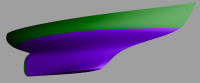
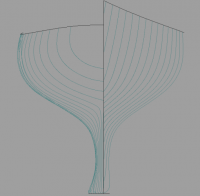
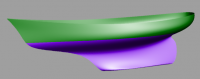
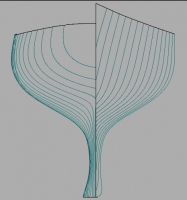
First create a horizontal planer surface that intersects your hull at the waterline. Then move to whatever view has you looking directly at the bow, as in the first picture below. Copy your horizontal surface and rotate this copied surface 30 degrees about the intersection of your first horizontal surface and the vertical midline of your boat. Check that your result looks something like the figure. Next use the hull as your "cutter" (even if it only has one headsail) and trim both surfaces.
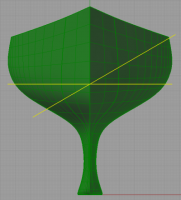
Change your view to a "plan view" as in the second figure and select the trimmed surfaces one at a time, go to the "Analyse, Mass Properties, Area Centroid" command from Rhino. Note the first number that comes up after the analysis (or whichever dimension represents your longitudinal direction). You should see a "point" come up on your trimmed surface with each analysis, and if the point that appears for the heeled waterplane is slightly aft of the one from the upright waterplane you are in good shape! Using the numbers you noted you can subtract one from the other to get the distance moved, then divide this result by the waterline distance and subtract from one to get the percentage moved. In the example shown, the COF moved aft 0.37% of the waterline length when the hull was heeled 30 degrees. Oh, and the Center of Buoyancy is at 55%, and the Prismatic Coefficient is 0.57. I'm a happy man!
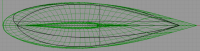
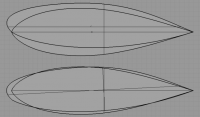
It's also instructive to rotate your heeled waterplane back to horizontal and compare it to the upright waterplane, which is what is shown in the third figure. The top part of the figure shows the two waterplanes as they develop, and you can see that the heeled waterplane is canted to windward a few degrees, which I take to be a good thing. The bottom of the figure shows the two waterplanes aligned, which is a good check for weird asymmetries.
BillyDoc